
You have tried RAG pipelines before. You chunked your PDFs, embedded them, stored them in a vector database, and asked questions. Sometimes you got answers. Often you got hallucinations dressed up as answers — confident, detailed, and wrong.
The problem is usually not the LLM. It is the quality of what you fed it. Garbage chunks in, garbage answers out.
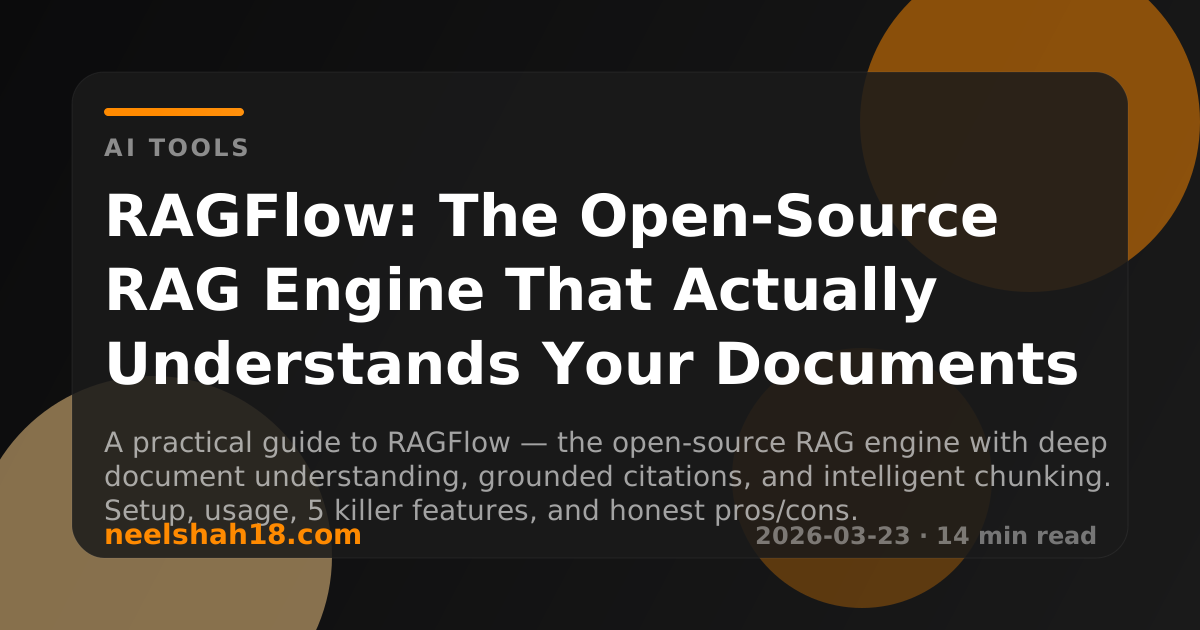
RAGFlow is built around one idea: quality in, quality out. It is an open-source RAG engine that treats document understanding as a first-class problem — not an afterthought. It knows the difference between a table in a PDF and a paragraph. It knows a slide deck is not a wall of text. It chunks intelligently, shows you exactly how it chunked, and lets you correct it before the LLM ever sees a word.
75,900+ GitHub stars. Actively developed. Free to self-host. This guide walks through every step.
Before We Start: What You Need
RAGFlow runs as a Docker Compose stack. The requirements are not negotiable — the deep document parsing alone is CPU and memory intensive.
Minimum requirements
─────────────────────────────────────────
  CPU      4 cores
  RAM      16 GB
  Disk     50 GB free
  Docker   24.0.0 or later
  OS       Linux (x86_64)
One important note up front: ARM64 is not officially supported. If you are on an Apple Silicon Mac or an ARM server, you may hit issues. The community has workarounds, but they are not stable. For this guide, assume x86_64 Linux.
Check your Docker version before starting:
docker --version
docker compose version
If docker compose (without a hyphen) is not recognised, you have the older docker-compose plugin. RAGFlow requires Docker Compose v2. Install it:
sudo apt-get install docker-compose-plugin
How RAGFlow Works: The Big Picture
Before installing, it helps to understand what you are actually running. RAGFlow is not a single service — it is five services that work together.
Your browser / API client
         │
         ▼
┌────────────────────────────────────────┐
│              RAGFlow API               │
│          (FastAPI backend)             │
└──────┬─────────┬──────────┬────────────┘
       │         │          │
       ▼         ▼          ▼
  ┌─────────┐ ┌───────┐ ┌────────┐
  │  MySQL  │ │ MinIO │ │ Redis  │
  │ (meta)  │ │(files)│ │(cache) │
  └─────────┘ └───────┘ └────────┘
       │
       ▼
  ┌────────────────────────┐
  │  Elasticsearch /       │
  │  Infinity (vectors)    │
  └────────────────────────┘
       │
       ▼
  Your LLM + Embedding Model
  (OpenAI, Ollama, Gemini, etc.)
| Service | Role |
|---|---|
| RAGFlow API | The brain — handles document parsing, chunking, retrieval, and chat |
| MySQL | Stores metadata: knowledge bases, documents, conversations |
| MinIO | Object storage for uploaded files |
| Redis | Caching and task queuing |
| Elasticsearch / Infinity | Vector and keyword search engine |
You do not configure any of these individually. Docker Compose handles all of it.
Installation
Step 1 — Clone the repository
git clone https://github.com/infiniflow/ragflow.git
cd ragflow/docker
Step 2 — Choose your Compose file
RAGFlow ships with two versions:
ls docker/
# docker-compose.yml       ← full version (includes Elasticsearch)
# docker-compose-gpu.yml   ← for machines with NVIDIA GPU
For most setups, use the default:
docker compose -f docker-compose.yml up -d
This will pull about 15–20 GB of images the first time. Go make a coffee.
Step 3 — Monitor startup
docker compose logs -f ragflow-server
Wait until you see:
     ____   ___    ______ ______ __
    / __ \ /   |  / ____// ____// /____  _      __
   / /_/ // /| | / / __ / /_   / // __ \| | /| / /
  / _, _// ___ |/ /_/ // __/  / // /_/ /| |/ |/ /
 /_/ |_|/_/  |_|\____//_/    /_/ \____/ |__/|__/

 * Running on all addresses (0.0.0.0)
 * Running on http://127.0.0.1:9380
Step 4 — Open the UI
Navigate to http://YOUR_MACHINE_IP in your browser. On a local machine, that is http://localhost.
The default port is 80. If something else is using port 80, edit docker/.env and change SVR_HTTP_PORT=80 before starting.
You will be greeted by the RAGFlow login screen. Create an account — it is local, no email confirmation needed.
Your First Knowledge Base: Step by Step
A “knowledge base” in RAGFlow is a named collection of documents that you can query. Think of it like a folder that the LLM can search.
Step 1 — Connect an LLM
Before you create a knowledge base, you need to tell RAGFlow which LLM to use.
Go to Settings → Model Providers and add your provider. RAGFlow supports:
Commercial:  OpenAI, Anthropic, Google Gemini, Azure OpenAI, Cohere
Self-hosted: Ollama, LM Studio, LocalAI, vLLM
For a local Ollama setup:
- Provider:
Ollama - Base URL:
http://host.docker.internal:11434 - Model name: whatever you have pulled (e.g.
llama3.1:8b)
From inside Docker, use
host.docker.internalto reach your host machine. On Linux with older Docker, use172.17.0.1instead.
Step 2 — Create a knowledge base
Click Knowledge Base → Create Knowledge Base. Give it a name. The important settings are:
Chunking method:    General (start here)
Embedding model:    Choose from your configured providers
Language:           English (or match your documents)
Step 3 — Upload documents
Drag and drop files directly into the knowledge base. Supported formats:
Documents:   PDF, DOCX, DOC, TXT, MD
Spreadsheets: XLSX, XLS, CSV
Presentations: PPT, PPTX
Images:      PNG, JPG, JPEG, TIFF (OCR applied automatically)
Web pages:   URL import
Step 4 — Parse and inspect the chunks
After uploading, click Parse. RAGFlow will process the documents. When it finishes, click on a document to see the chunks.
This is where RAGFlow is different from every other RAG pipeline. You can see exactly how your document was cut up, and you can edit individual chunks directly.
Example: A PDF with mixed content
─────────────────────────────────────────────────────────
  Page 1: Title + Introduction → 1 chunk
  Page 2: Table with 12 rows   → 12 chunks (one per row)
  Page 3: Paragraph text       → 3 chunks (by semantic boundary)
  Page 4: Code block           → 1 chunk (kept together)
  Page 5: Scanned image        → OCR text → 2 chunks
─────────────────────────────────────────────────────────
If a chunk looks wrong — too big, split at a bad boundary — you can fix it right there.
Step 5 — Start chatting
Go to Chat → Create Assistant. Link it to your knowledge base. Ask a question.
Every answer includes citations — clickable references that show you exactly which chunk the answer came from.
The 5 Killer Features
Feature 1: Template-Based Intelligent Chunking
Most RAG systems chunk by character count or sentence count. They do not know what the content is. A table gets split down the middle. A code block gets cut in half. A heading gets separated from its paragraph.
RAGFlow uses what it calls template-based chunking — pre-built chunking strategies tuned for specific document types.
Document type → Chunking template → Result
──────────────────────────────────────────────────────────
PDF (general)     General           Semantic paragraph chunks
Table/Excel       Table rows        One chunk per row
Presentation      Slides            One chunk per slide
Legal document    One             One chunk per entire document
Q&A pairs         Q&A               Question + answer as one chunk
Book              Book              Chapter-aware chunking
You choose the template per document type. This is not magic — it is domain knowledge encoded into the chunking logic.
Why this matters: The retriever can only find what was stored coherently. A table chunked correctly as rows can answer “which quarter had the highest revenue?” A table chunked as arbitrary text blobs probably cannot.
Feature 2: Grounded Citations With Source Tracing
Every RAGFlow answer includes references. Not just “Sources: document1.pdf” — actual clickable links to the specific chunk, with the relevant text highlighted.
User: What is the refund policy for enterprise customers?

RAGFlow: Enterprise customers are entitled to a full refund within
30 days of purchase, provided the request is submitted via the
support portal. [1]

[1] contracts/enterprise-agreement-2025.pdf
    Section 4.2, Page 12
    "Enterprise customers shall receive a full refund..."
    ████████████████████ (highlighted in document viewer)
This is not a cosmetic feature. It fundamentally changes how you verify AI answers. Instead of trusting the model, you can click through to the source in seconds.
Why this matters: In any serious use case — legal, medical, financial, customer support — you need to know where an answer came from. Grounded citations make RAGFlow answers auditable, not just useful.
Feature 3: Multiple Recall Strategies With Fused Re-Ranking
Retrieval is not one-size-fits-all. RAGFlow supports three retrieval modes and can combine them:
Retrieval modes
─────────────────────────────────────────────────────────
  1. Vector similarity     Dense embedding cosine search
                           Good for: semantic questions

  2. Full-text search      Keyword-based BM25
                           Good for: exact terms, names, codes

  3. Knowledge Graph       Entity + relationship traversal
                           Good for: "how does X relate to Y"
─────────────────────────────────────────────────────────
Hybrid mode runs vector and full-text search in parallel, then fuses the results using a re-ranking model. The re-ranker scores each candidate chunk for relevance to the actual question — not just similarity.
Hybrid retrieval pipeline
─────────────────────────────────────────────
  Query: "What is the early termination fee?"
        │
        ├──▶ Vector search  → 10 candidate chunks
        │
        └──▶ BM25 search    → 10 candidate chunks
                │
                ▼
          Merge + deduplicate → 15 unique chunks
                │
                ▼
          Re-ranker model    → Score each chunk
                │
                ▼
          Top 5 chunks → LLM → Answer
─────────────────────────────────────────────
Why this matters: Pure vector search misses exact terms. Pure keyword search misses semantic meaning. Hybrid with re-ranking catches both. For real-world documents with numbers, names, and jargon, this makes a measurable difference in answer quality.
Feature 4: Agentic Data Sync From Cloud Sources
RAGFlow is not just a place to upload files. It can pull documents directly from external sources and keep them in sync.
Supported sources as of March 2026:
Cloud storage:   AWS S3, Google Drive, MinIO
Wikis / docs:    Confluence, Notion
Communication:   Discord
Web:             URL crawling
To set up a Confluence sync, for example:
- Go to Knowledge Base → Data Sources → Add Source
- Choose Confluence
- Enter your Confluence URL and API token
- Select the spaces to sync
- Set a sync schedule (manual, hourly, daily)
RAGFlow will crawl those spaces, parse each page with the same document understanding pipeline, and add them to your knowledge base. When a page is updated and a sync runs, the chunks for that page are refreshed.
Why this matters: The hardest part of enterprise RAG is keeping your knowledge base current. Manual uploads go stale. Automated sync from Confluence or Notion means your assistant always has the latest documentation.
Feature 5: MCP Integration and Code Executor for Agents
RAGFlow is not just a search engine. It has an agentic layer built in.
MCP (Model Context Protocol) support means you can connect RAGFlow to any MCP-compatible client — including Claude Desktop, Cursor, or any tool that speaks MCP. Your knowledge bases become accessible to those tools directly.
The Code Executor lets you build agent workflows that include running code. This is how you go from “question and answer” to actual automated tasks:
Agent workflow example
─────────────────────────────────────────────────────────
  User: "Analyse the sales data from last quarter and
         summarise the top 3 underperforming regions"

  Workflow:
    Step 1: RAG retrieval → find relevant sales chunks
    Step 2: Code executor → run Python to aggregate data
    Step 3: LLM → write summary from results
    Step 4: Return answer with citations
─────────────────────────────────────────────────────────
Memory support (added in 2025) means agents can persist context across conversations — the agent remembers what you discussed last session.
Why this matters: Most RAG systems stop at retrieval. RAGFlow’s agent layer means it can take retrieval output and do something with it — compute, aggregate, transform — before generating an answer.
Connecting External LLMs: Quick Reference
RAGFlow supports a wide range of model providers. Here is a quick reference for the most common setups:
| Provider | Type | Notes |
|---|---|---|
| OpenAI | Cloud | Needs OPENAI_API_KEY |
| Anthropic | Cloud | Needs ANTHROPIC_API_KEY |
| Google Gemini | Cloud | Gemini 3 Pro supported as of early 2026 |
| Azure OpenAI | Cloud | Needs endpoint + key |
| Ollama | Local | http://host.docker.internal:11434 |
| LM Studio | Local | Compatible with Ollama API format |
| vLLM | Local | OpenAI-compatible endpoint |
You can mix providers — use a cloud LLM for answering but a local embedding model for indexing (which keeps your document embeddings private even if answers go to an API).
Troubleshooting
RAGFlow starts but the UI does not load
Check which port it is running on:
docker compose ps
Look for the ragflow-server container and its port mapping. If port 80 is taken, edit .env:
nano docker/.env
# Change: SVR_HTTP_PORT=80
# To:     SVR_HTTP_PORT=8080
docker compose down && docker compose up -d
Documents parse but chunks look wrong
Chunks come out wrong when the template does not match the content type. Go to the document settings and change the chunking method. For a PDF that is mostly tables, switch from General to Table rows. For a dense technical manual, try One to avoid splitting mid-explanation.
LLM connection fails with “connection refused”
From inside Docker, localhost points to the container, not your host. Use host.docker.internal:
# Test Ollama is reachable from the RAGFlow container
docker exec -it ragflow-server curl http://host.docker.internal:11434/api/tags
If that fails, find the Docker bridge IP:
ip route show | grep docker
# Use that IP in your Ollama base URL
Not enough disk space during image pull
The full RAGFlow stack needs about 15–20 GB of images plus your documents and vector indexes. Before starting:
df -h /var/lib/docker
docker system prune -f   # clean unused images
What Is Great, What Is Good, What Still Needs Work
What is great
Quality-in-quality-out document understanding. RAGFlow’s template-based chunking is the best open-source implementation of intelligent document parsing available today. The difference between a table correctly chunked and a table arbitrarily split is the difference between a useful answer and a hallucination.
Grounded citations with visual tracing. Every answer links back to its source with the exact text highlighted. In any serious use case, this is not optional — it is what makes RAG trustworthy.
Explainable chunks. You can see, inspect, and correct every chunk before the LLM sees it. No other major open-source RAG framework gives you this level of transparency and control.
What is good
Active development. The project shipped memory support, Gemini 3 Pro, Discord sync, and MCP integration all within early 2026. The GitHub issues page is responsive and the roadmap is public.
Heterogeneous source support. PDF, DOCX, Excel, PPTX, scanned images, URLs, Confluence, Notion, S3 — it handles all of them with the same chunking quality.
Multiple retrieval strategies. Hybrid vector + BM25 with re-ranking is a genuinely better approach than pure vector search, and it is built in rather than requiring you to wire it together yourself.
What still needs work
ARM64 support. ARM is not officially supported. Apple Silicon developers and ARM server users have to rely on community patches that may break on version updates. This is a meaningful gap as ARM becomes more common in both laptops and cloud infrastructure.
Non-Docker setup. The only supported installation path is Docker Compose. There is no clean way to run RAGFlow on a machine where Docker is not an option — a restricted enterprise server, for example.
Documentation depth. The quick-start docs are good. The deeper features — agent workflows, MCP integration, custom chunking templates — are sparsely documented and often require reading the source code or GitHub issues to understand fully.
Summary
RAGFlow is the open-source RAG engine to reach for when answer quality actually matters. Not for quick prototypes where any retrieval will do — for production-grade document question-answering where wrong answers have real costs.
The five features worth remembering:
| Feature | Why it matters |
|---|---|
| Template-based chunking | Documents chunked by type, not by character count |
| Grounded citations | Every answer links to its exact source |
| Hybrid retrieval + re-ranking | Vector + keyword + reranker beats any single approach |
| Cloud source sync | Confluence, Notion, S3 — always current, not stale uploads |
| MCP + code executor | Retrieval plus action, not just retrieval |
To get started:
git clone https://github.com/infiniflow/ragflow.git
cd ragflow/docker
docker compose up -d
Then open http://localhost and build your first knowledge base.
The GitHub repo is at github.com/infiniflow/ragflow. With 75,900+ stars and active development, it is worth following.